1. Go to your shop settings https://ai.detectauto.com/shop-settings?tab=configurations
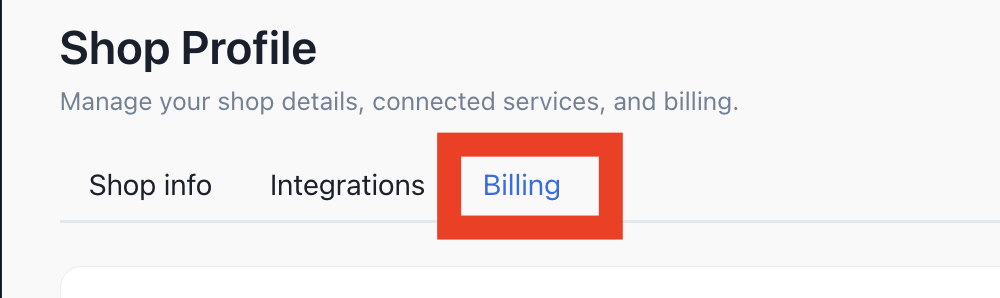
2. Click on the Billing tab
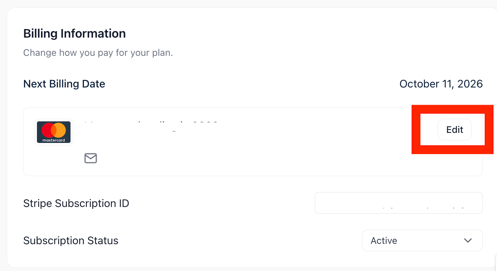
3. Click on Edit under Billing Information
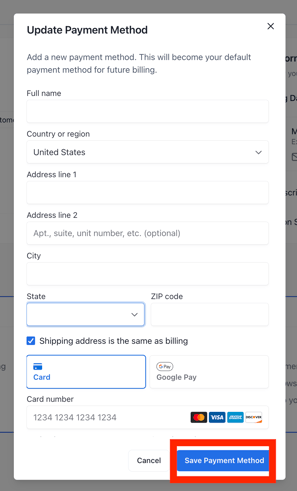
4. Enter your card information and click on Save Payment Method

1. Go to your shop settings https://ai.detectauto.com/shop-settings?tab=configurations
2. Click on the Billing tab
3. Click on Edit under Billing Information
4. Enter your card information and click on Save Payment Method