Skip to content
English
  • There are no suggestions because the search field is empty.

How to Clear Cache and Reload

This guide walks you through clearing your cache and reloading the Detect Auto browser extension.

Step-by-Step Instructions


  1. Click on the extension from the right side of your screen. 
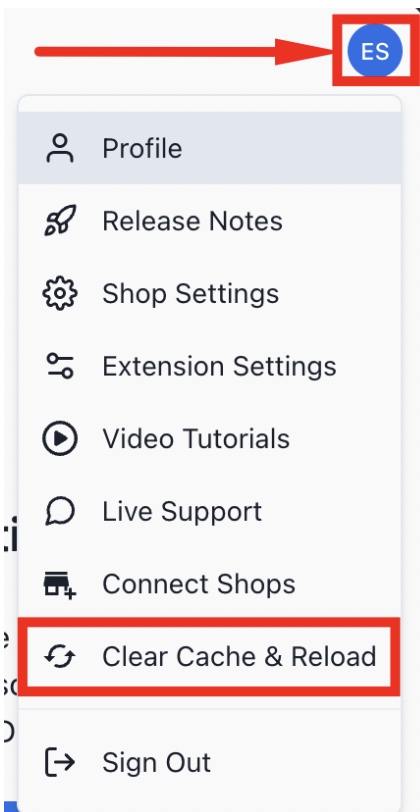
  2. Click on your profile, then Clear Cache and Reload.